
Server Monitoring
Click [Realtime] > [Main Monitoring] > [Server Monitoring] in the global navigation bar to open the Server Monitoring page.
The Server Monitoring page displays information about OS-level CPU and memory system resource usage, as well as CPU and memory usage for processes. It provides filtering functionality by conditions such as PID, User, CPU (%), and Memory (%), allowing the users to monitor the overall status of resource usage across all processes.
Clicking the [Refresh] button in the top-right corner of the Server Monitoring page allows the users to monitor CPU usage in real time.
CPU Monitoring
The CPU screen in the top-left corner of the Server Monitoring page displays CPU usage by User and System areas, as well as the current total CPU usage in a chart.
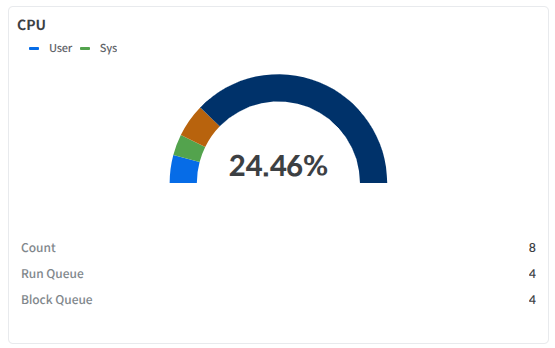
CPU Count
Number of CPU cores
Run Queue
Current Run Queue value
Blocked Queue
Current Blocked Queue value
Memory Monitoring
The Memory screen at the bottom left of the Server Monitoring page displays the total memory size and current memory usage in a chart.
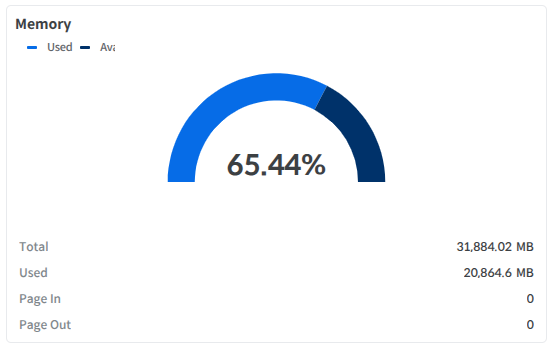
Memory
Total memory
Used
Memory in use
Page In
Number of Page In occurrences
Page Out
Number of times Page Out occurred
Current Process Usage
The Current Process Usage page shows the CPU and memory resource usage of each process.
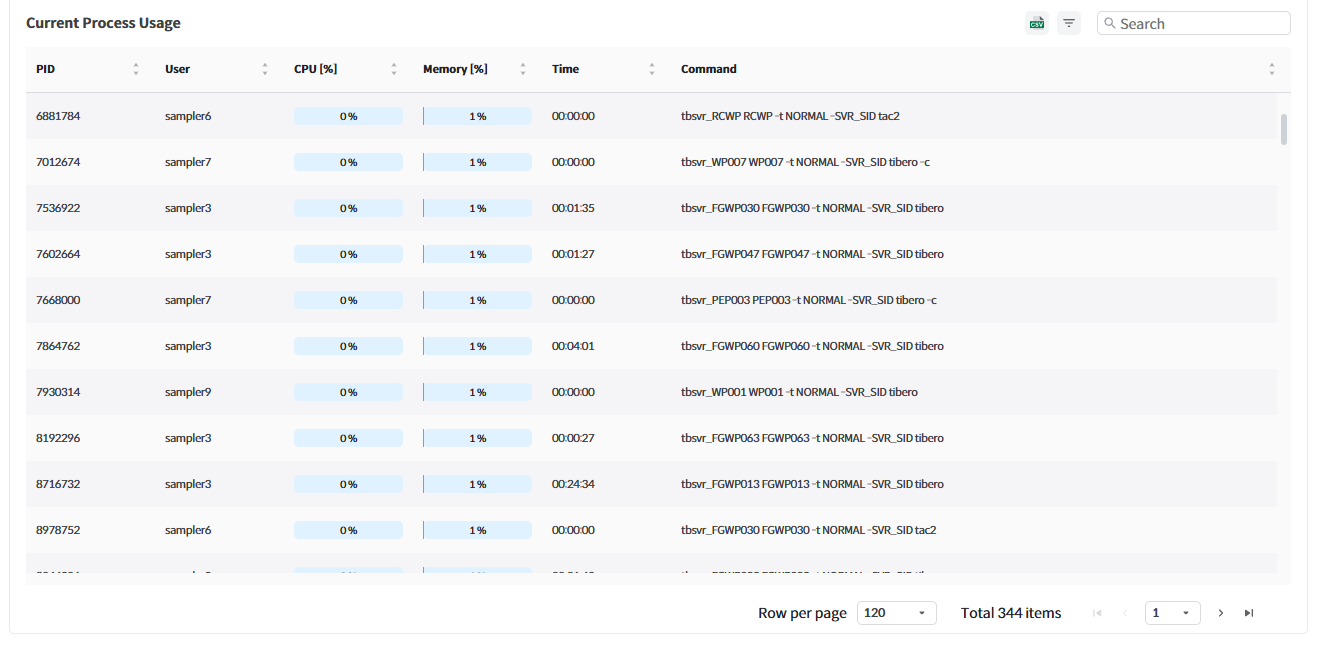
PID
The OS PID value of the process
User
OS user name
CPU
CPU usage at the process level
Memory (%)
Memory usage at the process level
Time
Time CPU has been used since startup
Command
OS command of the process
Note
Even if the update occurs faster than the TPM Agent collection cycle, the update is synchronized with the TPM Agent collection cycle. For example, if the CPU, Memory, and Process collection cycle in the TPM Agent is set to 1 minute, even if the Server Monitoring screen is updated every second, the data update will occur every minute.
The CPU usage in the Process list represents the usage of a single core. If it is 100%, it means that one core is being used entirely, and if it exceeds 100%, it means that one core is being used entirely and additional cores are also being used. Therefore, the total value of the CPU usage in the Process list differs from the CPU usage in CPU Monitoring. This is because the CPU usage in CPU Monitoring represents the usage of all cores.
Last updated