
Registering an Instance
After logging in, click the import button on the Dashboard, which is the first screen, to register an instance.
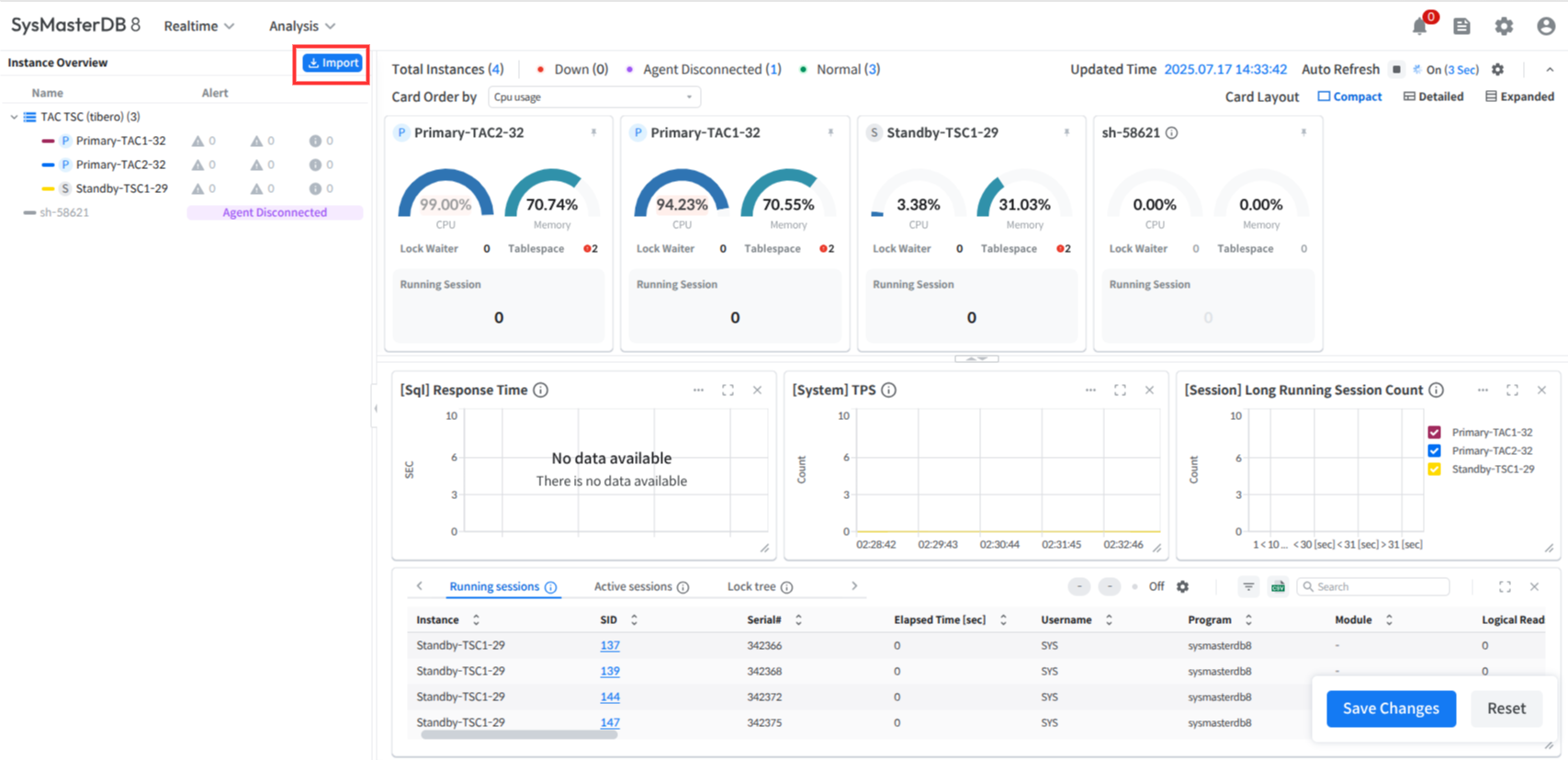
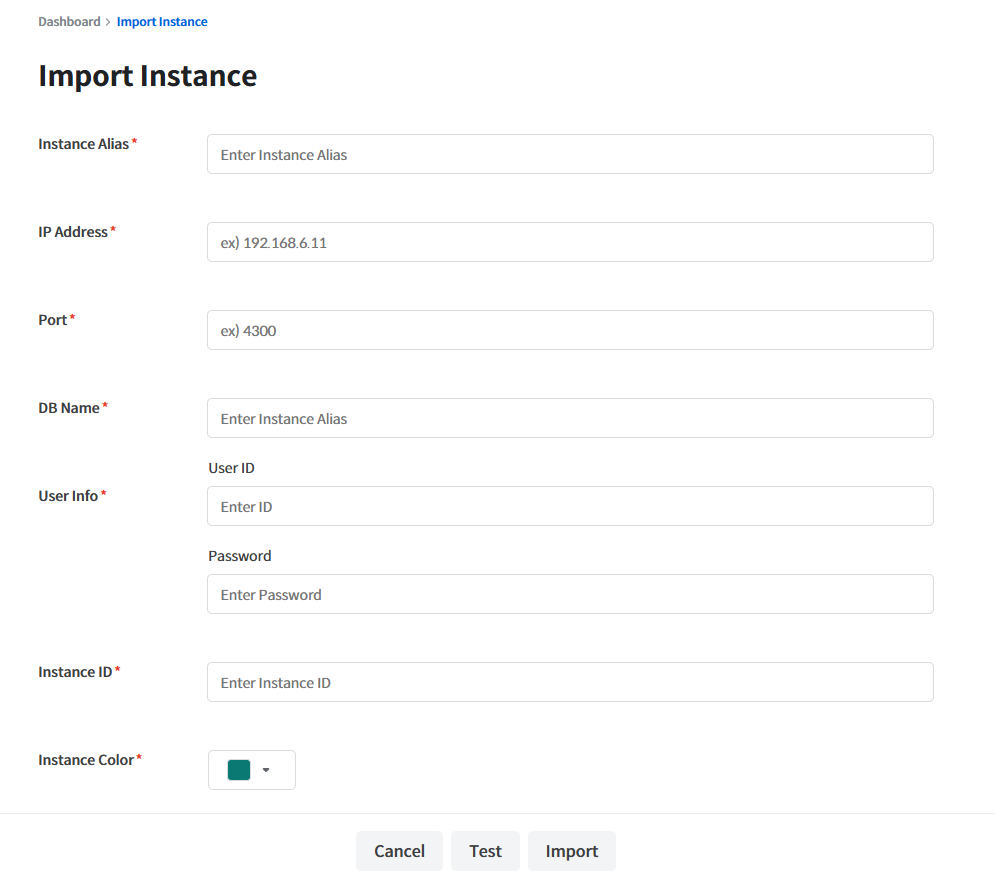
Instance Alias
Instance name (information displayed on the card)
IP Address
IP address of the DB to be monitored
Port
Port number for connecting to the monitored DB
DB Name
SID of the DB to be monitored
User ID
User name of the DB to be monitored
Password
Password of the user in the target DB
Instance ID
Instance ID
Instance Color
Unique color of the instance (color displayed in the chart)
Note
The Instance ID entered when registering the instance must match the ID in the TPM Agent's configuration file.
Caution
If the IP:PORT in LOG_REPLICATION_DEST_N = "hostname_N:port_N {LGWR SYNC|LGWR ASYNC|ARCH ASYNC}" differs from the IP:PORT used when registering the standby instance in the SysMaster DB, the topology network configuration in the TSC monitoring screen will not display correctly.
The newly registered instance will not be reflected on the screen immediately. After assigning the instance to a group, monitoring is possible from the Dashboard.
Last updated