> For the complete documentation index, see [llms.txt](https://docs.tibero.com/tiberostudio/llms.txt). Markdown versions of documentation pages are available by appending `.md` to page URLs; this page is available as [Markdown](https://docs.tibero.com/tiberostudio/about/user-interface.md).
# User Interface
본 장에서는 Tibero Studio의 전체적인 화면 구성을 소개한다.
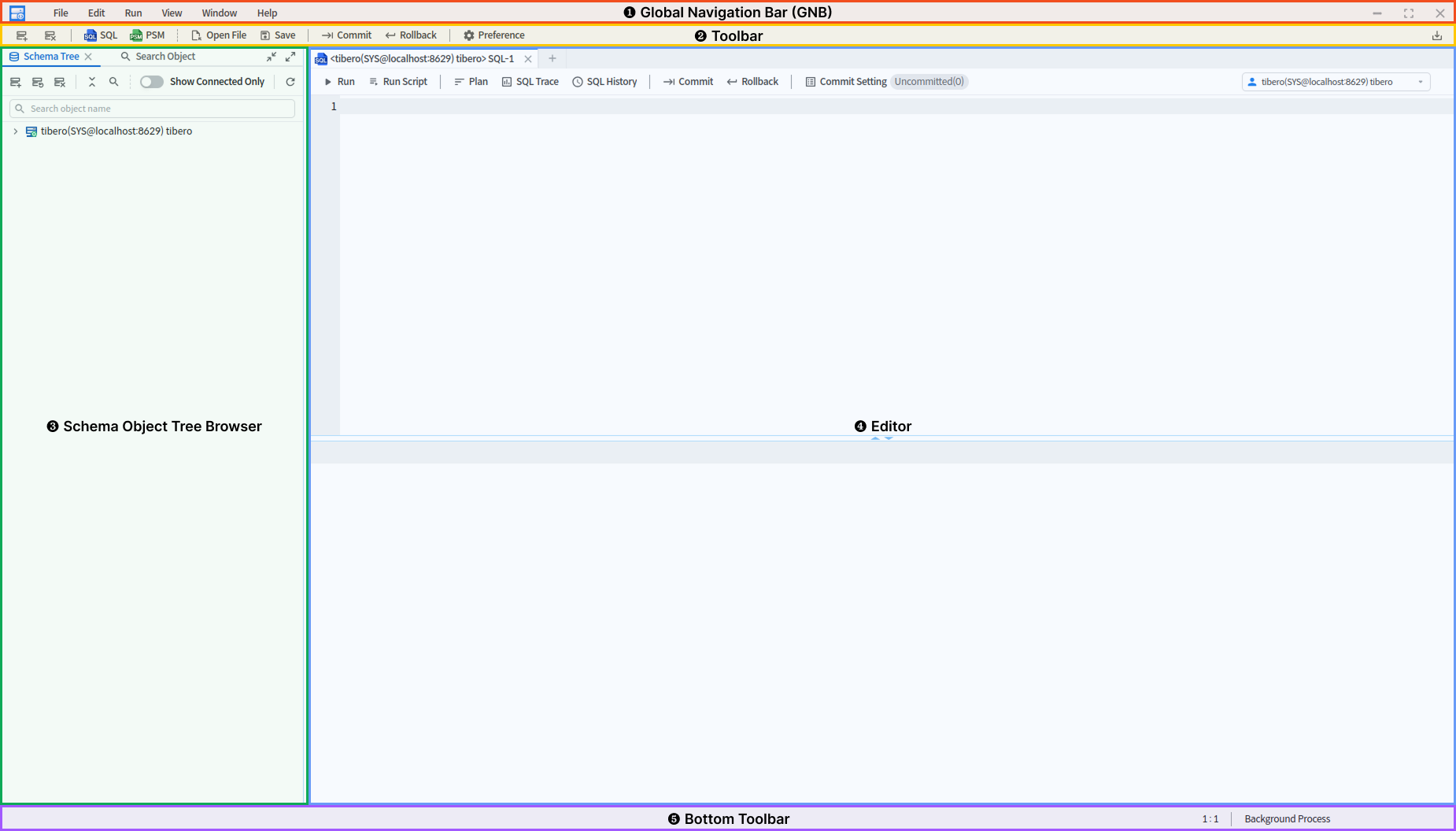
초기 화면은 5개의 주요 영역으로 구성되며, 각 영역은 데이터베이스 관리와 작업 효율성을 극대화하도록 설계되어 있다.
Tibero Studio 3 초기 화면
### ❶ **Global Navigation Bar (GNB)**
* Tibero Studio에서 제공하는 모든 기능에 접근할 수 있는 메뉴로 구성된다. 아래 [**GNB 챕터**](/tiberostudio/about/user-interface/global-navigation-bar.md)에서 세부 내용을 자세히 다룬다.
### ❷ **Toolbar**
* 자주 사용하는 주요 기능들이 아이콘 형태로 나열되어 있어, 빠르고 간편하게 실행할 수 있도록 설계되었다. Toolbar의 세부 내용은 아래 [**Toolbar 챕터**](/tiberostudio/about/user-interface/toolbar.md)에서 자세히 설명한다.
### ❸ **Schema Tree Browser**
* 연결된 데이터베이스의 스키마 객체 정보를 트리(Tree) 형태로 제공한다. Schema Tree Browser의 자세한 기능은 [**Schema Tree Browser 챕터**](/tiberostudio/about/schema-tree-browser.md)에서 다룬다.
### ❹ **Editor**
* SQL Editor, PSM Editor, Schema Object Detail 및 Developer 기능 관련 정보를 보여주는 주요 작업 영역이며, 탭(Tab)으로 구분되어 여러 스크립트를 동시에 작성 및 실행할 수 있다.
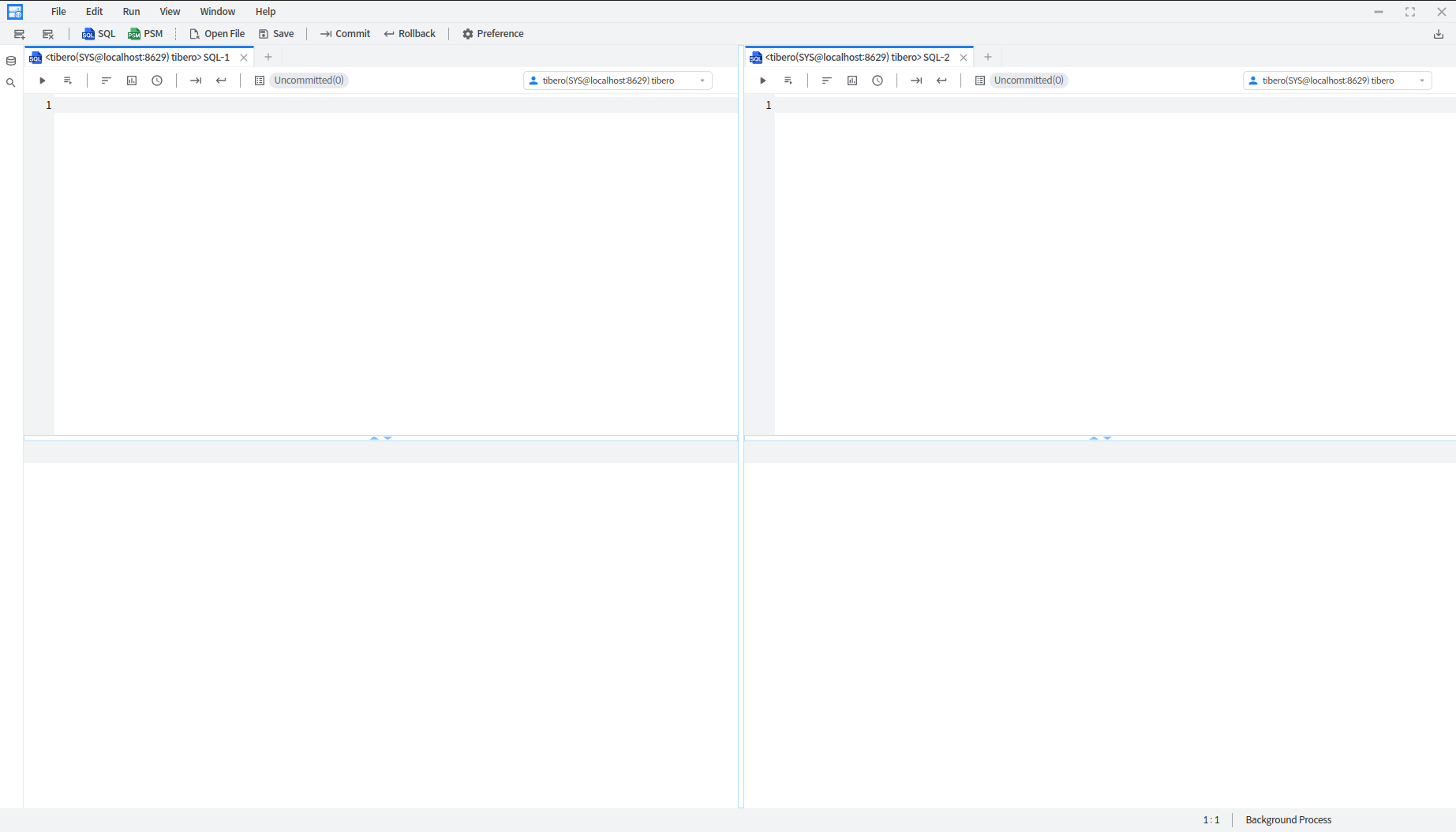
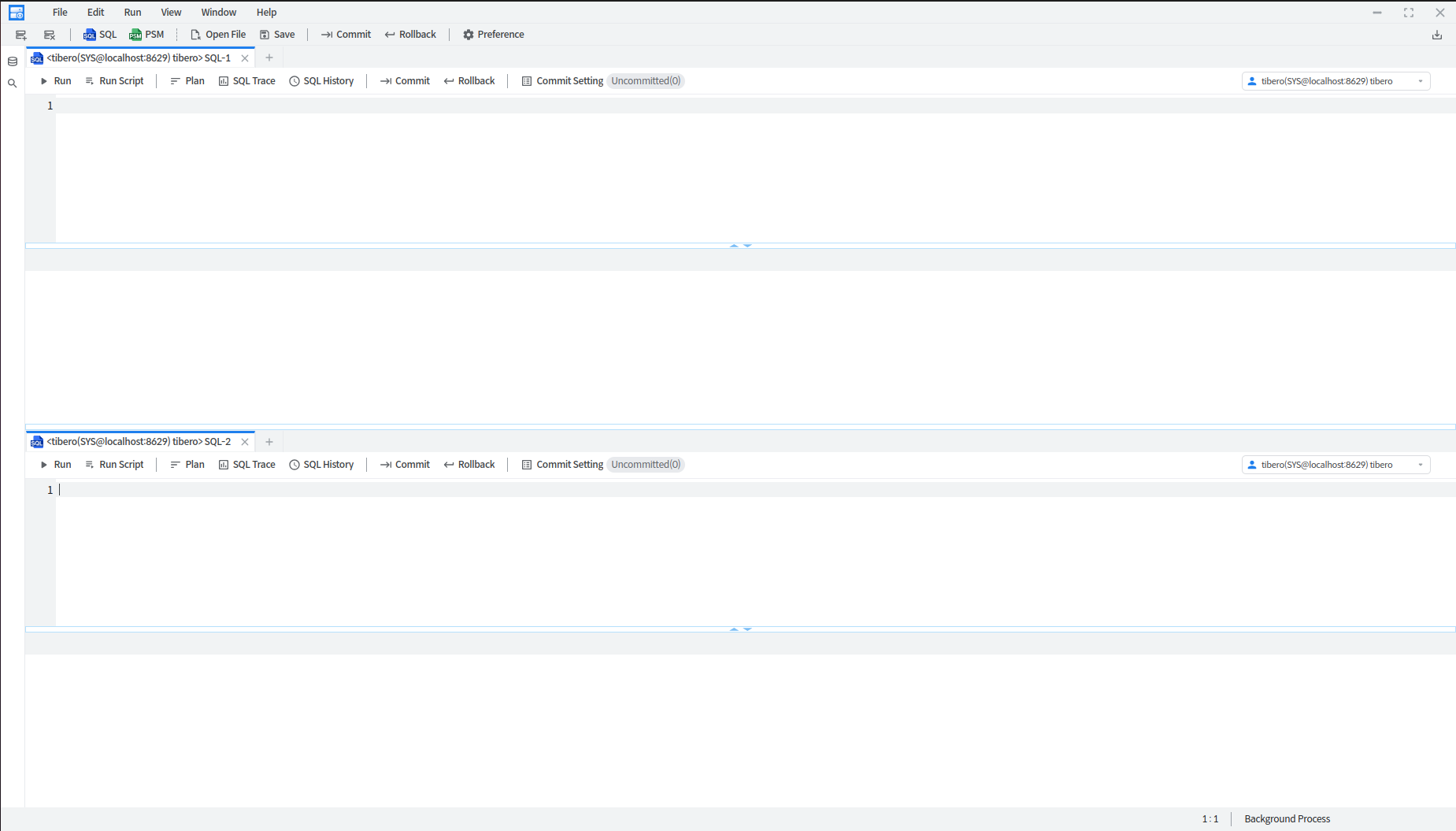
* 코드를 분리하여 동시에 작업할 수 있도록 탭 영역을 드래그하여 상하 혹은 좌우로 화면을 **분할(Split)**할 수 있으며, 분할된 영역은 서로 독립적으로 스크립트를 작성하고 실행할 수 있다.
좌우로 분할된 Editor 영역
상하로 분할된 Editor 영역
* Tibero Studio에서 Editor 영역에서 제공하는 주요 기능은 다음과 같다.
* [**SQL Editor**](/tiberostudio/about/sql-editor.md)
* [**PSM Editor**](/tiberostudio/about/psm-editor.md)
* **Schema Object Detail** (각각의 객체 정보를 조회하는 방법은 [**Schema Tree Browser** ](/tiberostudio/about/schema-tree-browser.md)챕터에서 자세히 다룬다.)
### ❺ **Bottom Toolbar**
* Editor 커서 위치와 Background Process를 확인할 수 있는 영역이다. Bottom Toolbar의 세부 내용은 아래 [**Bottom Toolbar 챕터**](/tiberostudio/about/user-interface/bottom-toolbar.md)에서 자세히 다룬다.
###