> For the complete documentation index, see [llms.txt](https://docs.tibero.com/tiberostudio.en/llms.txt). Markdown versions of documentation pages are available by appending `.md` to page URLs; this page is available as [Markdown](https://docs.tibero.com/tiberostudio.en/about/preference/data-format.md). Agents can also search and read this documentation through its [MCP server](https://docs.tibero.com/tiberostudio.en/~gitbook/mcp).

# Data Format

## NLS Format

<figure><img src="https://content.gitbook.com/content/nNfkYJbwJttSkGBYdvi9/blobs/CIktwpIgKoqMm2T5b11b/image.png" alt=""><figcaption></figcaption></figure>

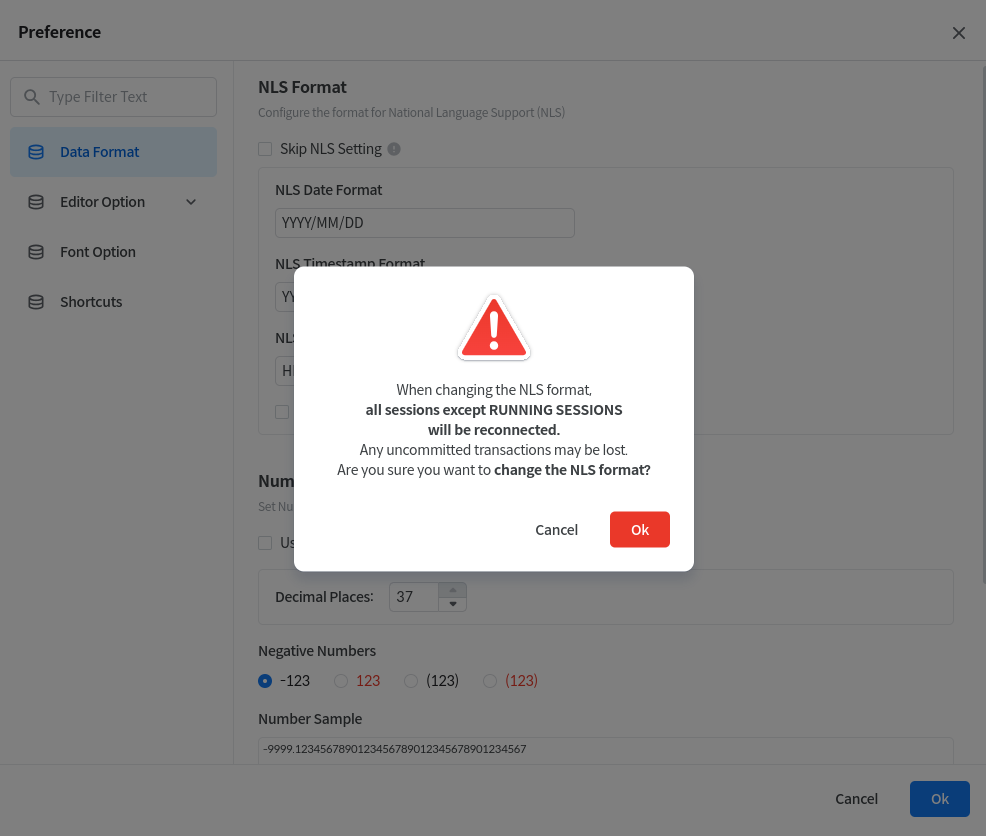
NLS Format can be changed. Changing the NLS format is only available by unchecking the Skip NLS Setting option. At this time, a reconnection notification modal appears, and if the users click the \[Confirm] button, all connected sessions except the session that is running to apply NLS Format will be reconnected.

<figure><img src="https://content.gitbook.com/content/nNfkYJbwJttSkGBYdvi9/blobs/gVoI4AsbRdG4yNZ3mwgj/image.png" alt=""><figcaption><p>NLS Format application notification modal</p></figcaption></figure>

\
The description of each item is as follows.

<table><thead><tr><th width="248">Item</th><th>Description</th></tr></thead><tbody><tr><td><strong>NLS Date Format</strong></td><td>Sets the NLS Date format. (NLS_DATE_FORMAT)<br>The default is YYYY/MM/DD.</td></tr><tr><td><strong>NLS Timestamp Format</strong></td><td>Sets the NLS Timestamp format. (NLS_TIMESTAMP_FORMAT) <br>The default is  YYYY/MM/DD HH24:MI:SSXFF.</td></tr><tr><td><strong>NLS Time Format</strong></td><td>Sets the NLS Time format. (NLS_TIME_FORMAT)<br>The default is HH24:MI:SSXFF.</td></tr><tr><td><strong>0 Truncate</strong></td><td>Omits 0 if NLS Timestamp ends 0.<br>The default is False.</td></tr><tr><td><strong>Skip NLS Setting</strong></td><td>Does not apply NLS setting.<br>The default is True.</td></tr></tbody></table>

## Number Format

<figure><img src="https://content.gitbook.com/content/nNfkYJbwJttSkGBYdvi9/blobs/FwD5Dcgdgv0NBBJvfYNs/image.png" alt=""><figcaption></figcaption></figure>

Specifies the display format for numbers in the data in the Result Table. Each item is described below.

<table><thead><tr><th width="248">Item</th><th>Description</th></tr></thead><tbody><tr><td><strong>Decimal places</strong></td><td>Sets the number of decimal places.<br>The default is 37.</td></tr><tr><td><strong>Use 1000 Separator (,)</strong></td><td>Displays commas (,) in 1000 units.<br>The default is False.</td></tr><tr><td><strong>Negative numbers</strong></td><td>Sets the display format for negative numbers.</td></tr></tbody></table>

###
