> For the complete documentation index, see [llms.txt](https://docs.tibero.com/sysmasterdb/llms.txt). Markdown versions of documentation pages are available by appending `.md` to page URLs; this page is available as [Markdown](https://docs.tibero.com/sysmasterdb/8.4_manual/global-navigation-bar-gnb/profile.md).
# Profile
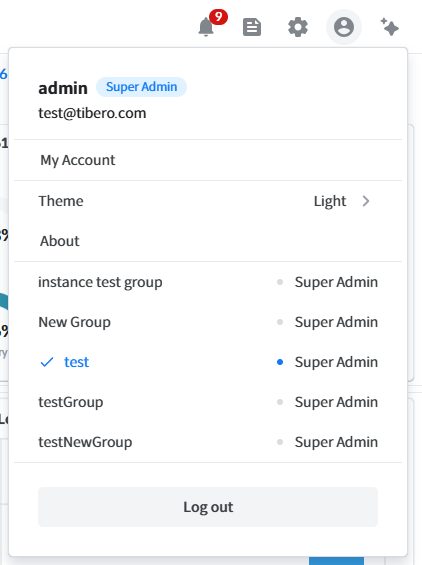
프로파일 기능을 통해 아래의 동작을 수행할 수 있다.
* 내 계정 설정 ([My Account](/sysmasterdb/8.4_manual/global-navigation-bar-gnb/profile/my-account.md))
* 테마 변경 (Light / Dark / System color) - System color를 선택하면 운영체제의 화면 모드를 따른다.
* About
* 현재 서비스에 대한 정보를 확인할 수 있다.
* 모니터링 그룹 변경
* SysMasterDB 각 메뉴에서 모니터링할 그룹을 설정할 수 있다.
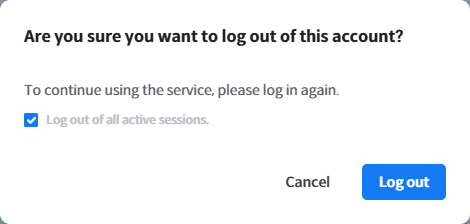
* 로그아웃
* 로그아웃 확인 창의 `Log out of all active sessions` 체크박스는 기본으로 켜져 있어 모든 기기의 로그인 세션이 함께 종료된다. 체크를 해제하면 현재 기기에서만 로그아웃된다.