> For the complete documentation index, see [llms.txt](https://docs.tibero.com/sysmasterdb/llms.txt). Markdown versions of documentation pages are available by appending `.md` to page URLs; this page is available as [Markdown](https://docs.tibero.com/sysmasterdb/8.3_manual/analysis/usage-analysis/undo-usage.md).
# Undo Usage
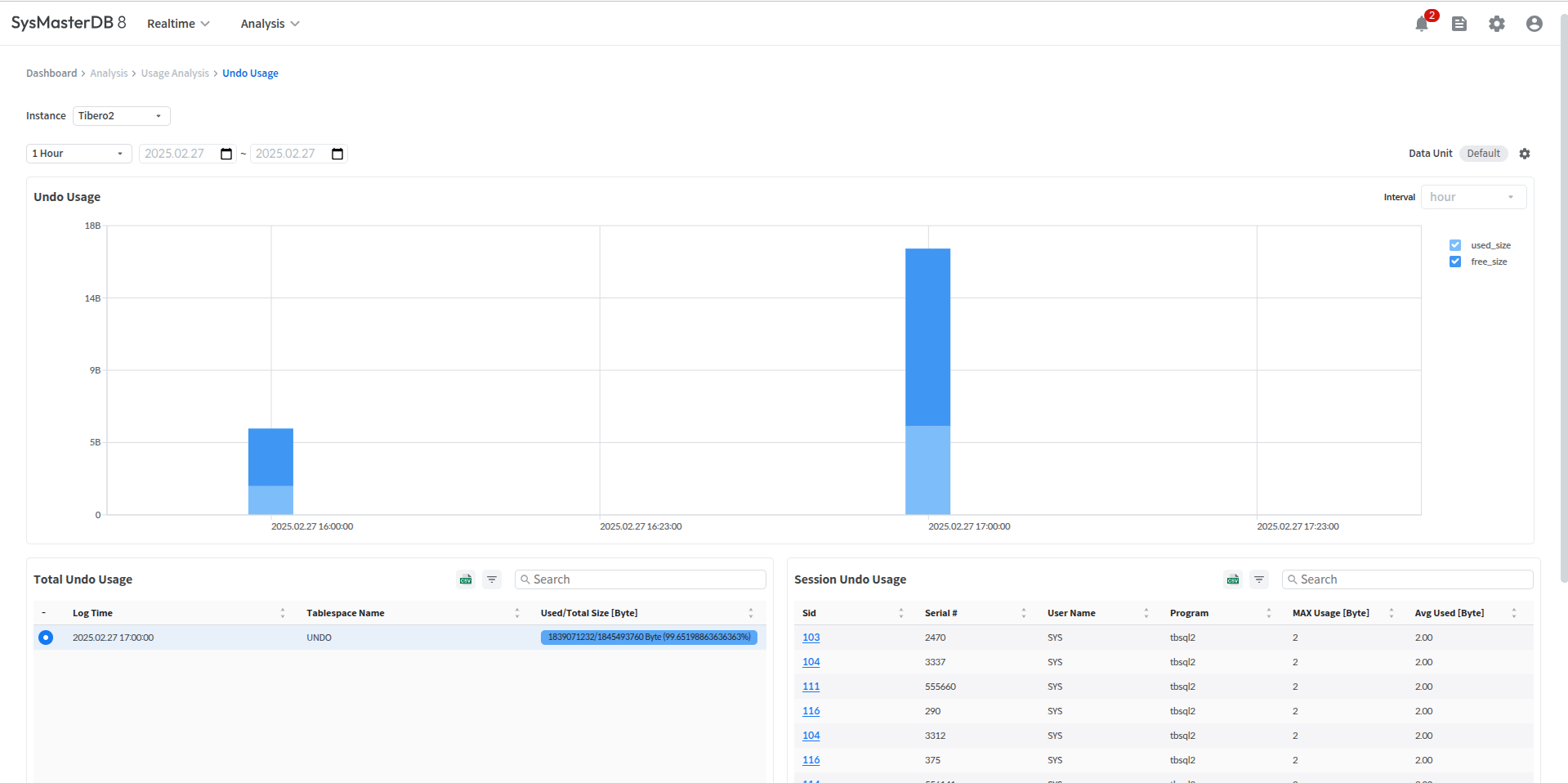
글로벌 내비게이션 바에서 **\[Analysis] > \[Usage Analysis] > \[Undo Usage]** 메뉴를 클릭하면 Undo Usage 화면이 열린다.
## Undo Usage
이 화면에서는 지정한 기간 동안 시간 단위의 Undo 크기의 변화량을 확인할 수 있다.
## Total Undo Usage
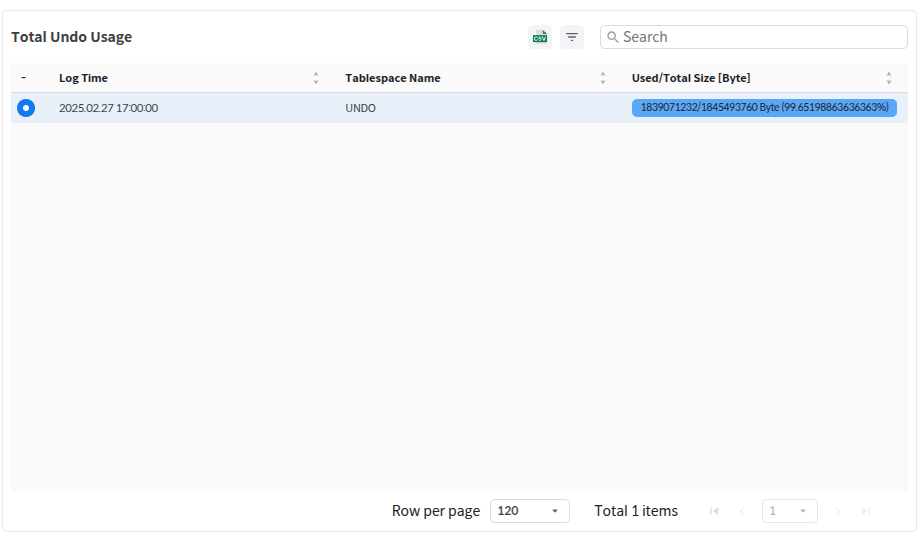
Undo Usage 에서 선택한 항목의 전체 Undo 사용량 정보를 상세하게 확인할 수 있다.
| 항목 | 설명 |
| --------------- | ----------- |
| Log Time | 수집 시간 |
| Tablespace Name | 테이블스페이스 이름 |
| Used/Total Size | 사용된 Undo 현황 |
## Session Undo Usage
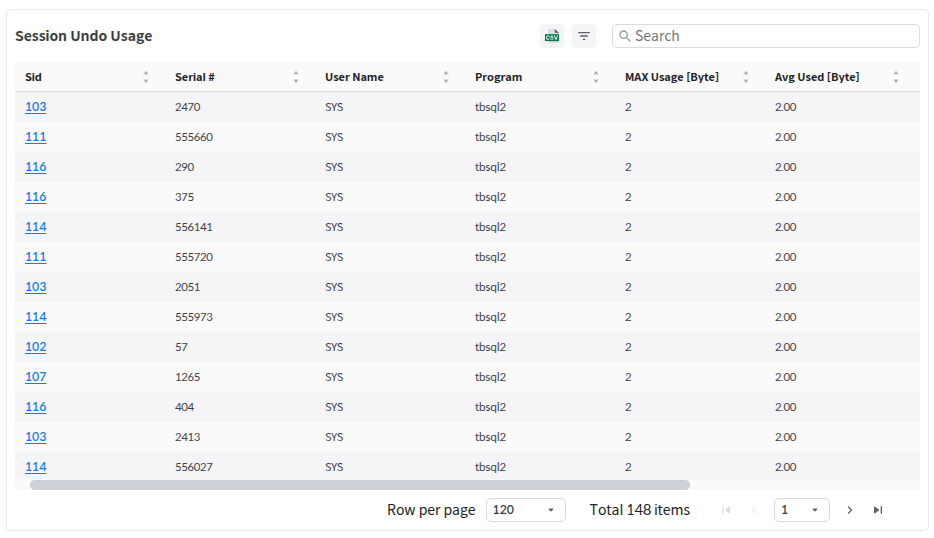
Total Undo Usage 에서 선택한 항목의 한 시간 동안 Undo를 사용한 세션의 정보를 상세하게 확인할 수 있다.
| 항목 | 설명 |
| ----------------- | ------------------- |
| SID | 세션의 SID |
| Serial # | 시리얼 번호 |
| User Name | 세션 사용자 이름 |
| Program | 세션의 프로그램 이름 |
| Max Used | 최대 Undo 사용 크기 |
| Avg Used | 평균 Undo 사용 크기 |
| Max Segment Block | 최대 Segment Block 개수 |
| Avg Segment Block | 평균 Segment Block 개수 |
### Undo Detail
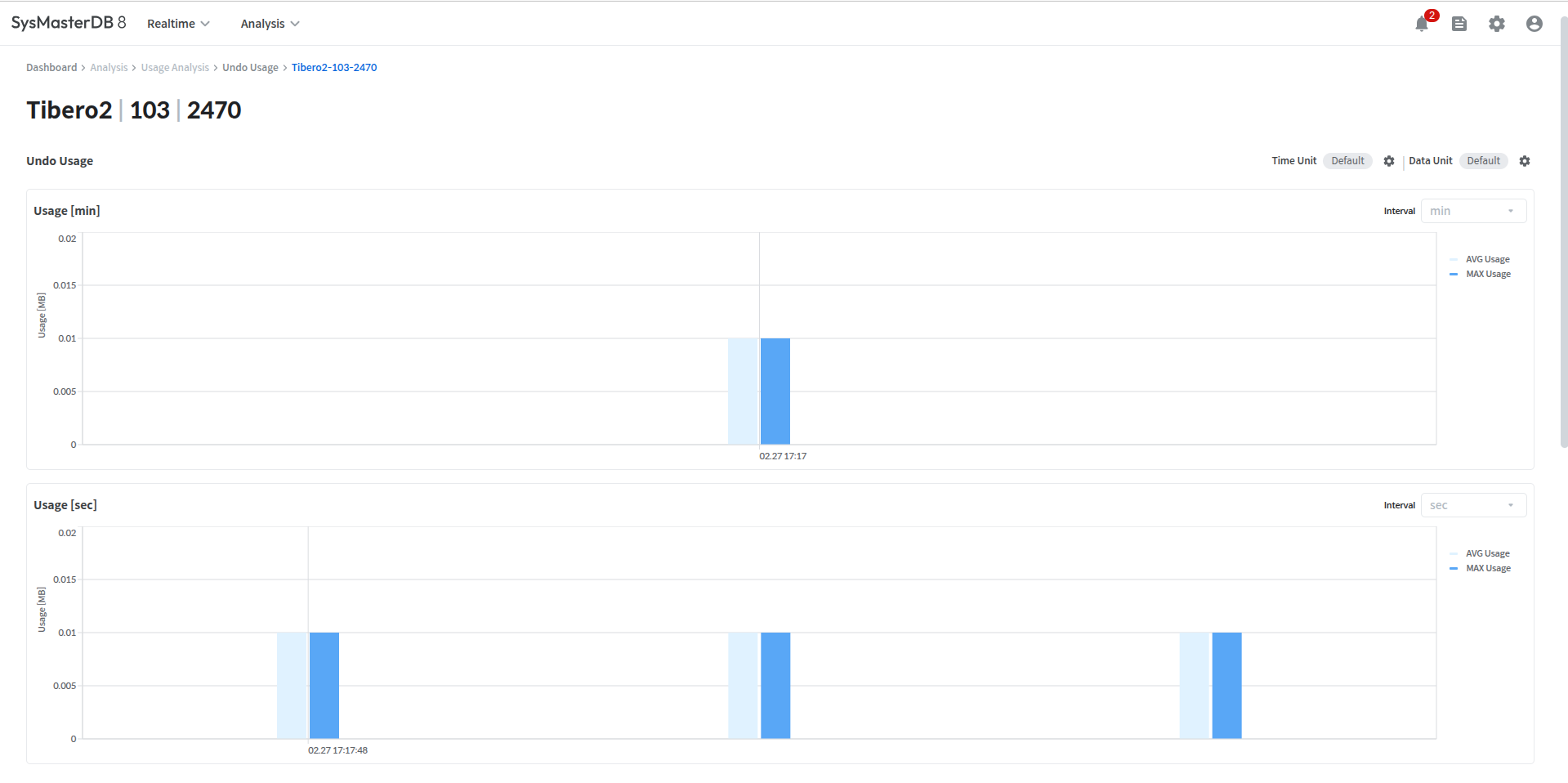
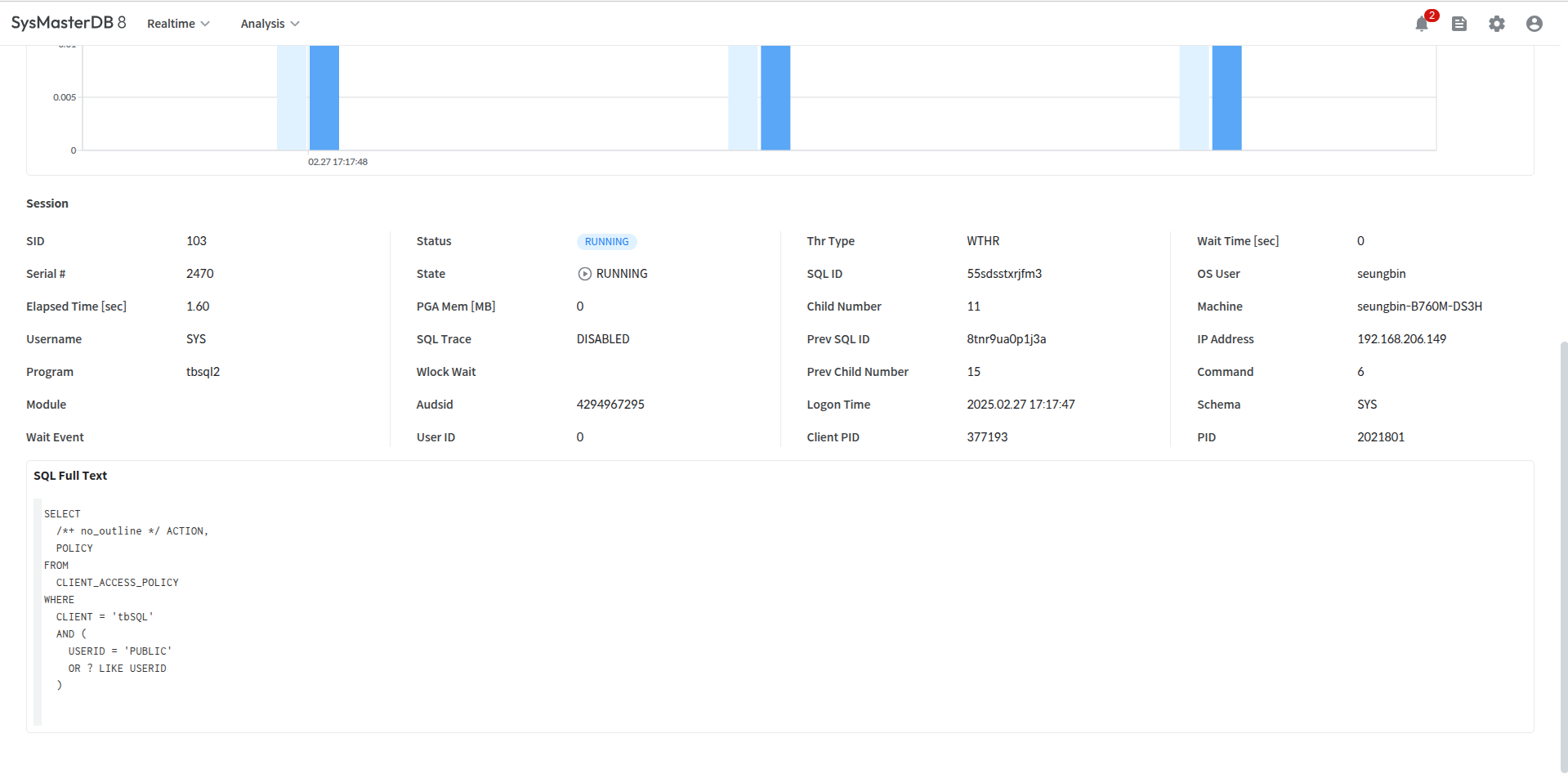
Session Undo Usage에서 Sid를 클릭하면 Undo Detail 페이지로 이동된다.
해당 페이지에서는 Undo usage의 분단위, 초단위 사용량과 변화량을 확인할 수 있다.
또한 하단에서 Session 정보도 같이 확인이 가능하다.
---
# Agent Instructions
This documentation is published with GitBook. GitBook is the documentation platform designed so that both humans and AI agents can read, navigate, and reason over technical content effectively. Learn more at gitbook.com.
## Querying This Documentation
If you need additional information that is not directly available in this page, you can query the documentation dynamically by asking a question.
Perform an HTTP GET request on the current page URL with the `ask` query parameter, and the optional `goal` query parameter:
```
GET https://docs.tibero.com/sysmasterdb/8.3_manual/analysis/usage-analysis/undo-usage.md?ask=&goal=
```
`ask` is the immediate question: it should be specific, self-contained, and written in natural language.
`goal` is optional and describes the broader end goal you are ultimately trying to accomplish on behalf of the user. GitBook uses it to tailor the answer towards what is most useful for that goal.
The response will contain a direct answer to the question and relevant excerpts and sources from the documentation.
Use this mechanism when the answer is not explicitly present in the current page, you need clarification or additional context, or you want to retrieve related documentation sections.